A/B testing tools help you make smarter decisions about your website, app, or marketing campaigns. You get to compare different versions to figure out what actually works.
These platforms let you test everything from button colours and headlines to entire page layouts and user flows. It’s kind of wild how much you can tweak and test.
Picking the right A/B testing tool can really boost your conversion rates and make your site feel better for users. You get to skip the guesswork and actually see what works.
There are loads of platforms out there, and each one brings its own features, pricing, and quirks. Some fit big teams, others are perfect for smaller businesses.
10. Split.io/Harness
Split.io is a top pick for engineering and product teams that want feature flagging mixed with A/B testing. It focuses more on safe feature rollouts than just website tweaks.
You can test new features without messing up the user experience. Split.io lets you roll out features gradually to certain users and watch how things go in real-time.
You get control over features with their flag management. Want to turn something on or off instantly? No problem.
Developers love Split.io because it fits right into their workflow and tech stack. You can run experiments on backend stuff, APIs, and mobile apps, not just websites.
The analytics are solid—you can track user engagement, conversions, and technical stuff all in one spot. If your company rolls out features a lot and needs control, Split.io makes life easier.
It’s especially handy for SaaS and mobile apps where feature management really matters.
9. CRO.clinic
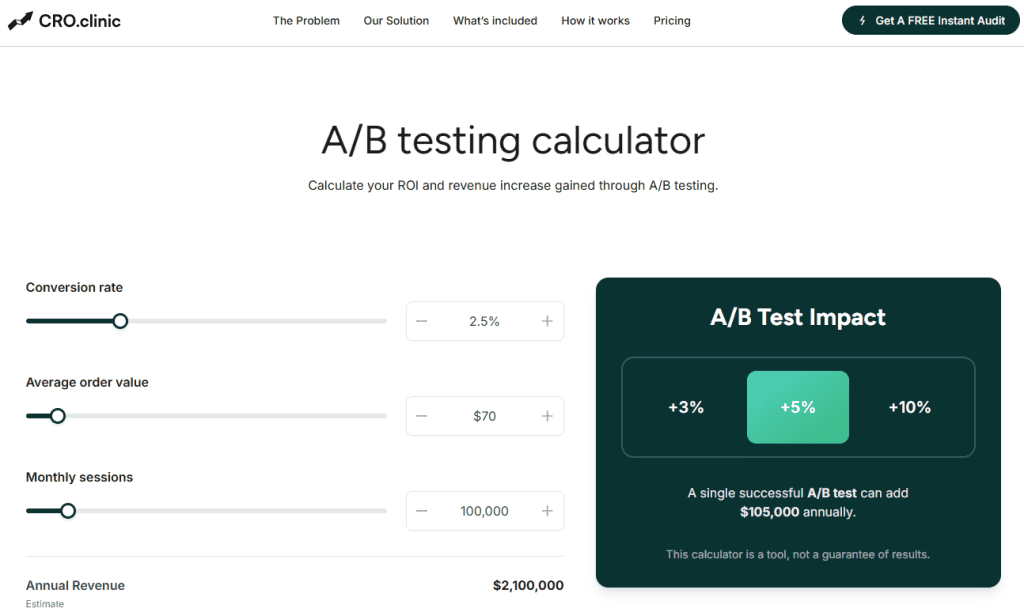
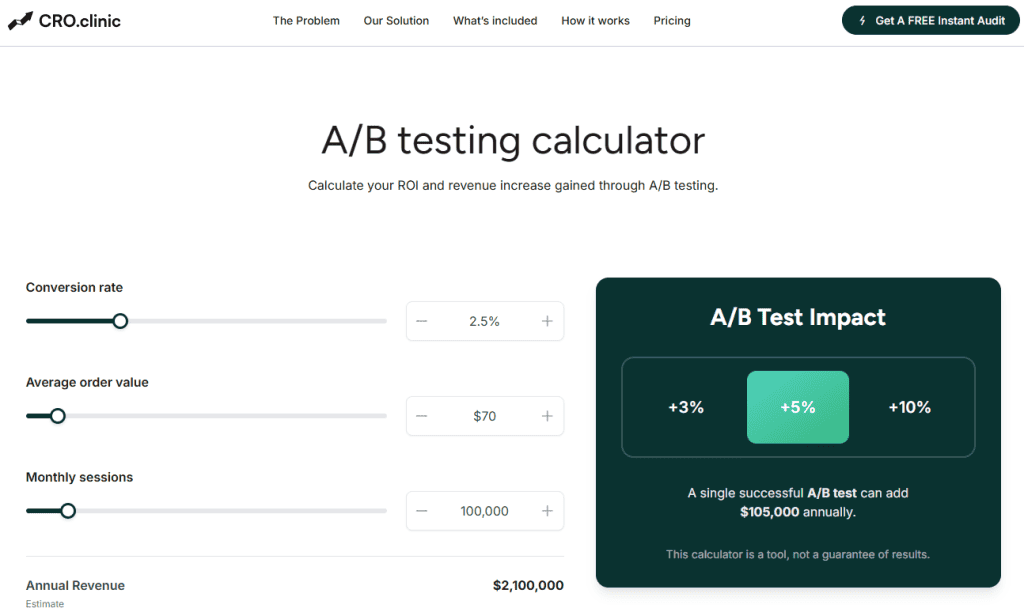
The CRO.Clinic A/B testing calculator stands out as one of the best tools available for evaluating the potential impact of your experiments because it combines simplicity with meaningful business insight.
Designed to help marketers and growth teams directly estimate the ROI and revenue uplift from A/B tests, it lets you input real metrics like conversion rate, average order value, sessions and annual revenue, then instantly see how even modest uplifts (+3%, +5%, +10%) could translate into significant annual gains — all without complex spreadsheets or manual forecasting.
Its clean interface and focus on actionable results make it particularly useful for prioritising tests, presenting business cases to stakeholders, and planning optimisation strategies with confidence, making the CRO.Clinic calculator a practical choice for anyone serious about data-driven experimentation.
8. Freshmarketer
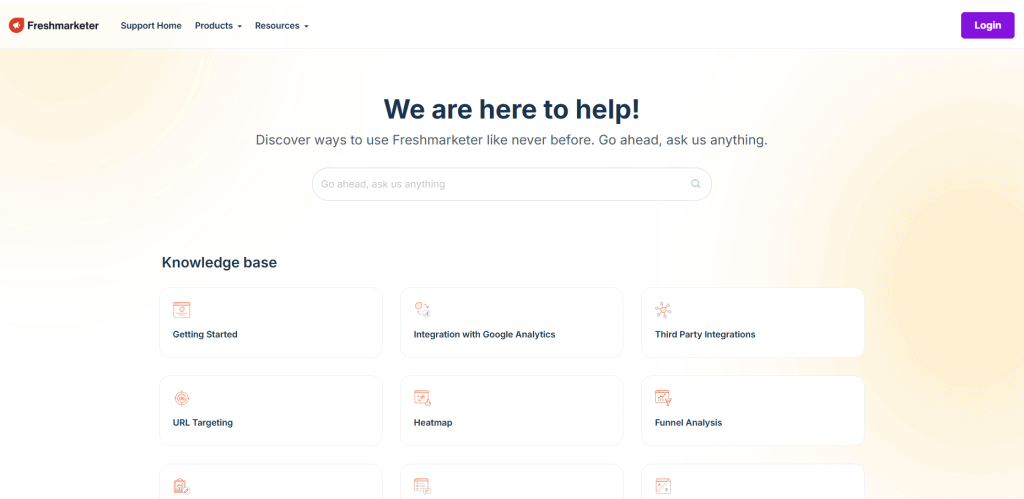
Freshmarketer gives you a straightforward A/B testing platform to help boost your website’s performance. The interface is easy to use for creating and managing test versions.
Once you start a test, the AB testing toolbar pops up at the top of your page. You land in ‘Variation 1’ by default, but it’s simple to make, rename, or duplicate variations.
Adding a new variation just takes a click. Testing multiple versions of your content is easy.
Freshmarketer shows up on lists of top A/B testing tools, so it’s definitely a legit option for businesses.
But there are some downsides. Pricing can be tough for smaller companies—the free plan is super basic and leaves out the best stuff.
If you want the good features, you’ll need to pay, and it can get pricey. So, you’ll want to balance what you need with your budget.
7. Unbounce
Unbounce gives you a solid platform for building landing pages and running A/B tests. You can create, test, and optimise your pages without leaving the tool.
You don’t need to be technical. Just use the drag-and-drop editor to build your page variations and the system will split your traffic automatically.
Unbounce’s analytics help you see which version wins. You can track conversion rates, click-throughs, and other stuff that matters for your campaigns.
If you run paid ads, Unbounce is a lifesaver. You can spin up landing pages for different ads and test which ones actually turn visitors into customers.
One big perk is how fast you can get started. No developers needed, no complicated setup.
You can hook Unbounce into tools like Google Analytics, Salesforce, and your email platforms. This way, your testing data fits right into the rest of your marketing.
Pricing depends on how many visitors you get and which features you want. You can try it out for free to see if it fits.
6. AB Tasty
AB Tasty is a friendly experimentation platform that helps you optimise your digital experiences. You get A/B testing, personalisation, and feature management all in one.
You can run different types of tests: A/B, split, multivariate, and funnel tests. The platform supports both client-side and server-side testing.
The visual editor makes it easy for marketers—no coding needed. This lowers the technical barrier so marketing teams can run their own experiments.
Personalisation is where AB Tasty really shines. You can target experiences based on user segments and behaviour, which helps boost conversion rates.
They’ve got widgets and multivariate testing ready to go, plus search and recommendations features. These help you build out more complex testing strategies.
AB Tasty uses Bayesian stats for analysis, which can mean quicker insights than the usual methods. They serve a lot of enterprise businesses, with over 1,000 companies worldwide using the platform.
If you need help, their customer support is there for you.
5. Convert
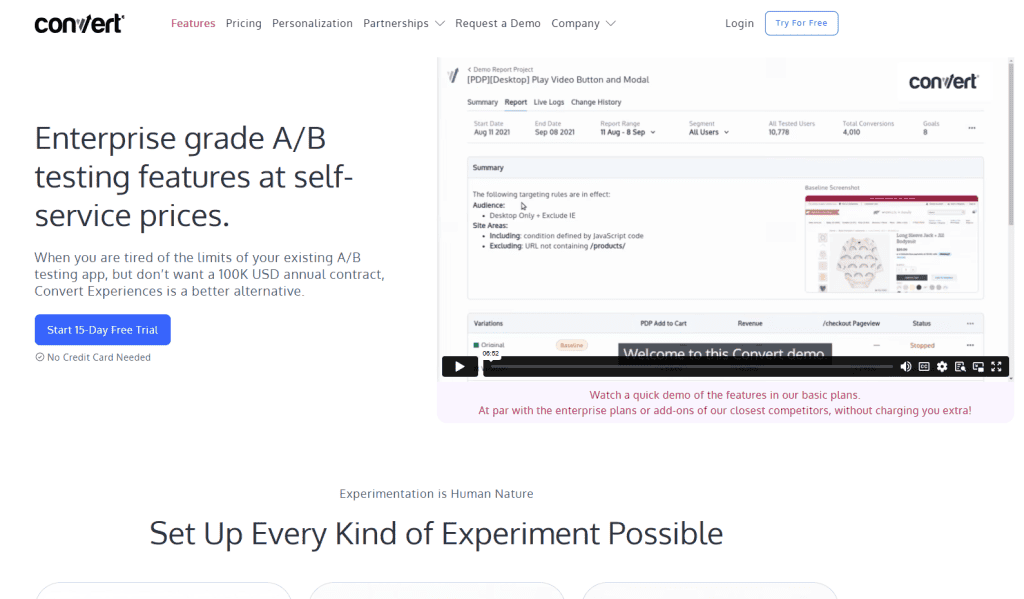
Convert gives businesses a powerful A/B testing platform to optimise their websites. You’ll find all the standard testing features you’d expect.
You can run A/B, split page, and multivariate experiments right from their interface. They also offer personalisation tools so you can tweak content for different visitors.
The visual editor is straightforward, letting you change text, images, buttons, and layouts without any coding. It’s pretty handy.
Convert takes data privacy seriously and offers both server-side and client-side testing. Real-time reporting lets you see how your tests are doing as they happen.
You can track conversions, statistical significance, and visitor behaviour. It integrates with tools like Google Analytics and Adobe Analytics, so your data stays connected.
Convert covers A/B, split page, multivariate, and personalisation testing. The company genuinely cares about its customers and the industry.
Pricing changes based on your monthly visitors and what features you need. They’ve got plans for all sorts of business sizes.
4. Adobe Target
Adobe Target is a big name in A/B testing software and is part of Adobe Experience Cloud. You get advanced testing and personalisation features for all your digital channels.
The platform uses AI automation through Adobe Sensei for personalisation and predictive analytics, so you can improve user engagement without doing everything by hand.
Adobe Target’s workflow is pretty simple: make your variant, target it to certain visitors, then set your goals and settings.
You can run experiments across web, mobile apps, email, and IoT devices. That’s a big plus over tools that only work on websites.
The platform lets you do multivariate testing as well as standard A/B tests. You can test a bunch of elements at once to see what combo works best.
Adobe Target fits enterprise teams that need serious testing power. But it can get complex and expensive, so it’s not really for smaller teams that just want the basics.
If you need advanced personalisation and want to test on multiple channels, Adobe Target is worth a look.
3. Google Optimize 360
Google Optimize 360 was an advanced A/B testing and website optimization tool that let you try out different versions of your site. You could use it to improve user experience or boost conversion rates by running detailed tests.
The premium version came packed with extra features compared to free Google Optimize. You got better targeting and it worked really well with other Google marketing tools.
You could run all sorts of tests—A/B, split URL, and multivariate tests—to see what actually resonated with your audience.
Google Optimize 360 plugged right into Google Analytics, making it a breeze to track what was working.
But, Google shut down Optimize and Optimize 360 on September 30, 2023. These tools powered millions of A/B tests around the world before Google pulled the plug.
A ton of organizations relied on these tools for years to fine-tune their online experiences. Over 500,000 websites used Google Optimize before it disappeared.
If you used Google Optimize 360, you’ll need to pick a new A/B testing platform now. Thankfully, there are plenty of alternatives with similar features for website optimization.
2. VWO (Visual Website Optimizer)
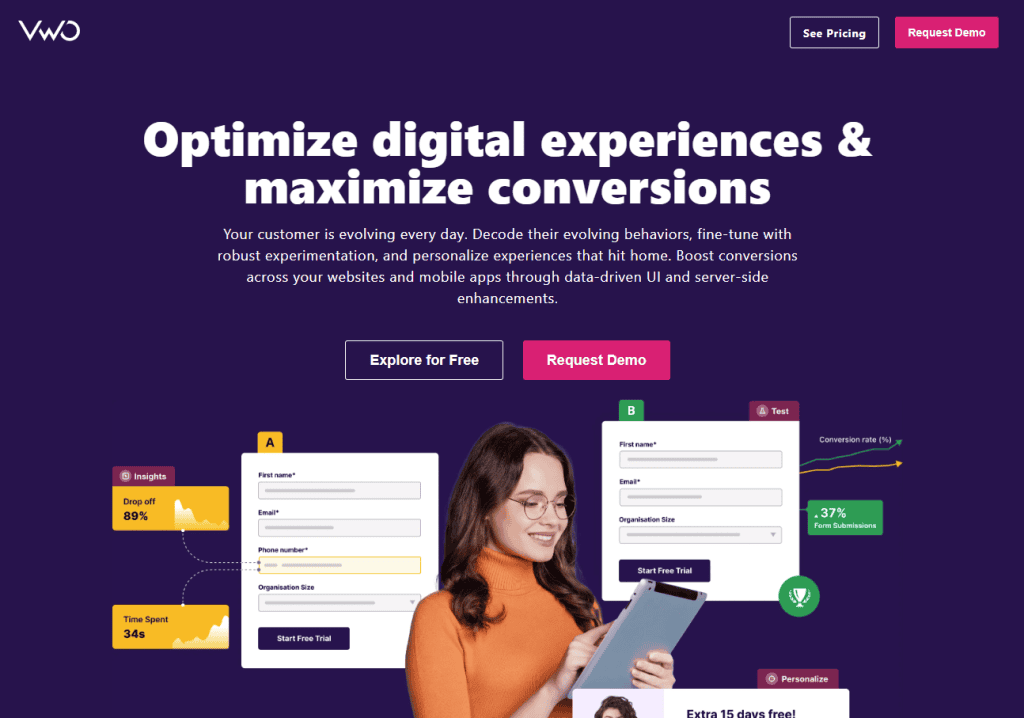
VWO is a market-leading digital experience optimization solution for fast-growing companies looking to improve their websites. You can use it for both A/B testing and conversion rate optimization.
The visual editor makes creating test variations simple—even if you don’t know how to code.
VWO comes loaded with heatmaps and clickmaps to track user behavior on your site. You’ll get a clear picture of how visitors interact with your pages.
You can test different calls to action, layouts, and design tweaks. The platform even handles up to 20 variations, so you can get pretty creative.
VWO works for both web pages and mobile apps. You can test mobile apps alongside your website, which is super handy.
The platform helps you make smart, data-driven decisions about site changes. It’s all about maximizing conversions and making your site better for users.
VWO also plays nicely with other tools you probably already use. That makes it easy to slot into your existing workflow.
1. Optimizely
Optimizely is one of the most recognizable names in A/B testing. If you want advanced experimentation for your website or app, you’ll probably find it a good fit.
The platform shines at front-end A/B testing and multi-page experiments. You can run complex tests across different parts of the customer journey—no need to be a tech wizard.
Optimizely gives you detailed statistical analysis tools. Your test results come with insights that actually help you make decisions.
The visual editor makes setting up tests really straightforward. You just point, click, and change stuff—no coding needed.
Optimizely comes with enterprise-level pricing though. A lot of businesses think it’s pricier than other testing tools out there.
You’ll get tons of integration options. The platform connects with analytics tools, CRMs, and marketing platforms you probably already use.
You can monitor results in real time and stop experiments early if something’s clearly working.
Optimizely works best for bigger organizations with lots of testing needs. If you’re juggling experiments across different teams, the collaboration features really help keep things organized.
Key Features to Consider in AB Testing Platforms
The right AB testing platform really depends on what you need—maybe you just want simple split tests, or maybe you’re looking at complex multivariate stuff. Make sure you pick something with strong analytics and integrations that fit your current marketing stack.
Experiment Types and Variations
Your AB testing platform should let you do more than just basic split tests. Look for tools with multivariate testing so you can compare headlines, images, and call-to-action buttons all at once.
You’ll want server-side testing if you need to check backend changes or tweak APIs. This lets you test things like database queries or user authentication without slowing down your site.
Client-side testing is great for front-end tweaks—think button colors, text, or layout changes. Most platforms are solid here since it’s pretty easy to set up.
If you want to roll out new features slowly, find a tool that supports feature flag testing. You can test stuff with a small group before showing it to everyone.
Need to test mobile apps? Make sure the platform has SDKs for both iOS and Android. Web and mobile testing aren’t always the same.
Reporting and Analytics Capabilities
Your testing tool should give you real-time results and show if your findings are statistically significant. Look for tools that highlight confidence levels and the sample sizes you’ll need.
Segmentation features let you break down results by user group. Sometimes a variation works great on mobile but flops on desktop.
You’ll want customizable dashboards to track the stuff that matters—conversion rates, revenue per visitor, engagement, all that. Pre-built reports are nice, but custom ones can tell you more.
Historical data storage is useful for spotting trends over time. Some platforms limit how long they keep data, which can be a pain if you want to look back later.
Automated alerts are a lifesaver. They’ll ping you when an experiment hits significance or if something weird pops up in your data.
Integration with Marketing and Analytics Tools
Make sure your AB testing platform connects easily with Google Analytics. Sharing audience data and conversion goals saves you a ton of manual work.
Email marketing integrations (like Mailchimp or Klaviyo) are handy if you want to test email campaigns alongside your website. It’s nice to see how everything ties together.
CRM connectivity helps you see how test variations affect customer value and retention. Salesforce, HubSpot, and Pipedrive are common integrations.
If you use tag managers like Google Tag Manager or Adobe Launch, check that your testing tool is compatible. It makes setting up experiments way easier.
Some platforms offer API access so you can build custom integrations with your own tools or other software your team relies on.
Best Practices for Implementing AB Testing Tools
Statistical significance is key if you want results you can trust. Segmenting users helps you see how different groups react to your changes.
Ensuring Statistical Significance
Aim for at least 100 conversions per variation to get results that actually mean something. Most AB testing tools calculate sample sizes for you, but it’s good to know the basics.
Minimum Requirements:
- 95% confidence level
- 80% statistical power
- At least 1-2 weeks of testing
Don’t stop tests early just because the results look good. That’s called “peeking,” and it can totally mess up your findings.
Figure out your needed sample size before you start. If your site gets 1,000 visitors a week with a 2% conversion rate, you’ll need about 4-6 weeks for a solid test.
Run tests for full business cycles. Weekend and weekday traffic can act really differently. Holidays can throw off your numbers too.
User Segmentation Strategies
You can split users up by traffic source, device, or even where they’re browsing from. New folks usually act differently than regulars. And let’s be honest, mobile users? They’re not always after the same stuff as people on desktops.
Key Segmentation Categories:
- Traffic source: Organic, paid, social, email
- User type: New vs returning visitors
- Device: Mobile, tablet, desktop
- Location: Country, region, time zone
Try running separate tests for your best customer groups. VIPs might react to price changes in ways first-timers just don’t. And if you’re dealing with B2B folks, they often take their sweet time deciding—way more than B2C shoppers.
Don’t go wild splitting your audience into tiny groups. Every segment needs enough people to actually get statistical significance. With just 1,000 monthly visitors, splitting into five segments at once? Yeah, that’s probably not going to give you anything solid.
Keep an eye on how each group does during tests. One segment could be crushing it, while another totally tanks. That’s the kind of info you need to really tailor things for each user group.